


14 Best IP Scanner Tools for Effective Network Management in 2025
Managing a network isn’t just about connecting devices—it’s about visibility, security, and efficiency. Imagine having hundreds of devices on your office or home network, but no clear way to track them. This is where an IP scan comes in. They help identify devices, troubleshoot connectivity issues, and ensure your network runs smoothly freeware network scanner ip scanner spiceworks.
Whether you’re an IT admin, small business owner, or tech enthusiast, the right IP scan can save hours of guesswork. In this guide, we explore 14 of the best IP scanner tools, highlighting freeware network scanners, IP scanner Spiceworks, and other essential IP scan tools to simplify network management in 2025.
What is an IP Scanner and Why You Need One
Understanding IP Scanning
An ip scan tool identifies all active devices on your network. Scanning IP addresses helps detect connected devices, discover unauthorized access, and optimize network performance.
Benefits of Using an IP Scanner
- Device discovery: Identify all connected devices instantly
- Network troubleshooting: Quickly spot connectivity issues
- Security monitoring: Detect unknown or unauthorized devices
Freeware vs. Paid IP Scanners
Freeware network scanners are ideal for home users or small setups. Paid or premium scanners, like SolarWinds or Lansweeper, offer automation, reporting, and integration with larger IT management systems.
14 Best IP Scanner Tools for Effective Network Management
Here’s a quick comparison infographic to help you choose the right tool at a glance:
| IP Scanner | Type | Pros | Cons | Best Use Case |
| Angry IP Network Scanner | Freeware network scanner | Fast, lightweight, customizable | Limited advanced features | Small to medium LANs |
| Advanced IP Scanner | IP scan | Easy to use, RDP/FTP access | Windows-only | Home & small office networks |
| IP Scanner for Mac | IP scan | Mac-friendly, intuitive | macOS only | Apple-based networks |
| Nmap | IP scan | Open-source, versatile, detailed scans | Steep learning curve | Security auditing & IT pros |
| Fing | IP scan | Mobile-friendly, fast | Limited desktop features | On-the-go network monitoring |
| IP Scan Tool | Search IP tool | Lightweight, simple, fast | Basic functionality | Quick device discovery |
| Spiceworks IP Scanner | IP scanner Spiceworks | Automated discovery, detailed reports | Ads in the free version | IT teams & small businesses |
| Lansweeper | IP scan | Enterprise-level, inventory tracking | Paid features for full functionality | Large networks & enterprises |
| SolarWinds IP Address Manager | IP scan | Integrated DHCP/DNS, automation | Expensive | Enterprise IP management |
| SoftPerfect Network Scanner | IP scan | Multi-protocol, fast | Some advanced features are limited in the free version | Small to medium networks |
| Zenmap | IP scan | GUI for Nmap, visual mapping | Requires Nmap knowledge | IT pros & beginners needing a GUI |
| NetScanTools | IP scan | Detailed diagnostics, versatile | Paid version needed for full features | Professional network auditing |
| Paessler PRTG Network Monitor | IP scan | Integrated monitoring, alerts | Can be resource-heavy | Large-scale proactive network monitoring |
| Colasoft IP Scanner | IP scan | Real-time scanning, user-friendly | Limited reporting | Small & medium networks |
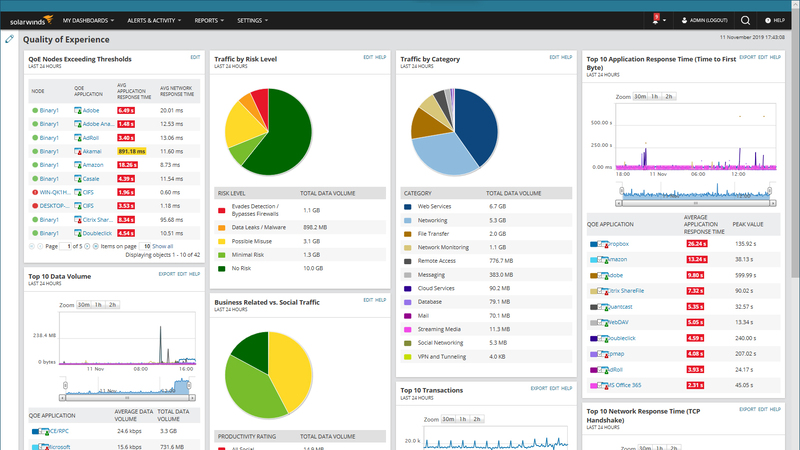
1. SolarWinds [Free Trial – Windows OS]
SolarWinds is a powerful and character-pleasant community tracking device designed for Windows structures. It gives an intuitive interface and sturdy functions for IP and community scanning. With real-time tracking capabilities, SolarWinds permits IT administrators music related gadgets, discover open ports, and select out capacity vulnerabilities. Its superior reporting and alert tool make sure you live updated on community usual performance and issues.
- SolarWinds Advantages:
- Intuitive interface with customizable dashboards.
- Real-time tracking and automated indicators.
- Comprehensive reporting and designated facts visualization.
- Scalability for huge enterprise networks.
- Intuitive interface with customizable dashboards.
- SolarWinds Disadvantages:
- High fee after the trial length.
- Resource-in depth, requiring robust device hardware.
- Steeper learning curve for beginners.
- High fee after the trial length.
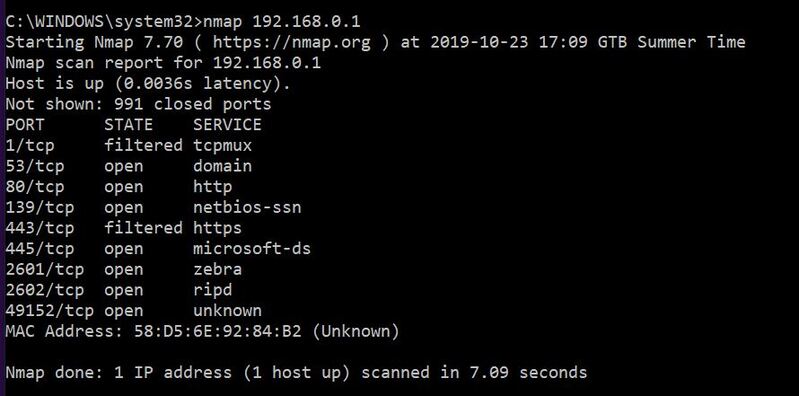
2. Nmap [Free – Windows & Linux OS]
Nmap (Network Mapper) is a flexible and open-supply community scanning tool substantially used for security auditing and network exploration. Available for each Windows and Linux, Nmap is able to discovering devices, mapping network structures, identifying open ports, and detecting vulnerabilities. With guide for advanced scripting, it lets in customers to carry out in-depth scans tailored to their needs. Its command-line interface makes it best for specialists, despite the fact that a graphical interface (Zenmap) is available for less complex usage. Nmap is surprisingly dependable for penetration checking out and network troubleshooting, making it a famous choice among IT directors and safety specialists.
- Nmap Advantages:
- Completely free and open-deliver.
- Supports advanced scripting for custom scans.
- Compatible with multiple running structures.
- Offers in-intensity and detailed test critiques.
- Lightweight and green for small or huge networks.
- Completely free and open-deliver.
- Nmap Disadvantages:
- Command-line interface can be hard for beginners.
- Advanced functions require technical expertise.
- Limited graphical interface capability as compared to paid equipment.
- Command-line interface can be hard for beginners.
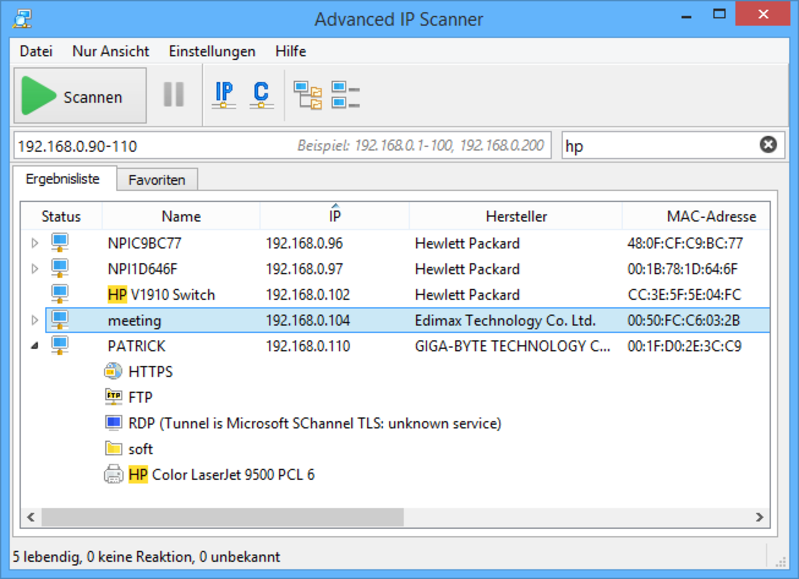
3. Advanced IP Scanner [Free – Windows OS]
Advanced IP Scanner is a light-weight, free network scanning tool designed specially for Windows clients. It allows brief and green scanning of close by networks to discover active gadgets, open ports, and shared folders. This device is right for IT professionals and small enterprise clients, imparting certain insights into community devices, which includes IP and MAC addresses. Its user-best interface makes it smooth to navigate, even for novices. Additionally, Advanced IP Scanner integrates seamlessly with RDP and Radmin, permitting a long way off get right of entry to to gadgets at once from the device.
- Advanced IP Scanner Advantages:
- Completely unfastened and clean to use.
- Provides speedy and correct test consequences.
- Integrates with RDP and Radmin for far off device control.
- Lightweight and does no longer require installation.
- Identifies shared folders and network resources.
- Completely unfastened and clean to use.
- Advanced IP Scanner Disadvantages:
- Limited to Windows going for walks structures.
- Lacks superior features for in-depth penetration attempting out.
- No real-time monitoring or alerting abilties.
- Limited to Windows going for walks structures.
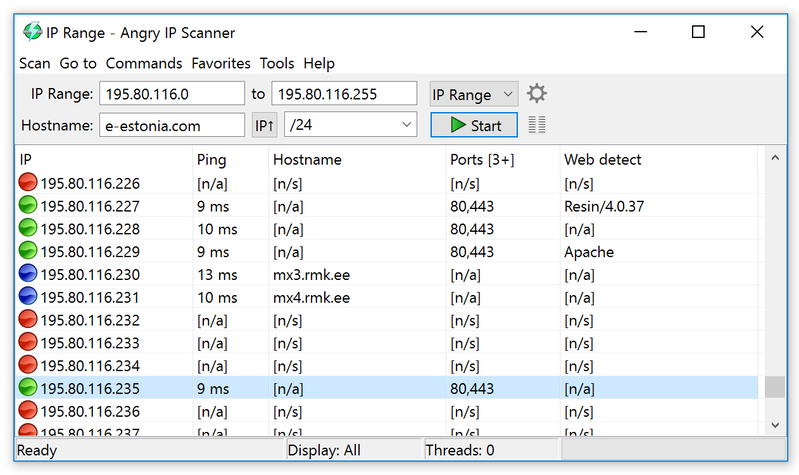
4. Angry IP Scanner [Free – Windows, Linux,
Mac OS X]
Angry IP Scanner is a quick, open-source community scanning tool well matched with Windows, Linux, and Mac OS X. It is widely used by IT experts and enthusiasts to scan networks, discover energetic IP addresses, and pick out out open ports. The device is light-weight and portable, requiring no set up. With its multi-threaded scanning abilties, Angry IP Scanner can rapid experiment big networks and offer correct consequences. It additionally permits customers to export check statistics in severa codecs, including CSV and XML, making it clean to research and share statistics. Its simplicity and go-platform compatibility make it a famous preference Top 14 IP Scanner Tools for Efficient Network Management in 2024.
- Angry IP Scanner Advantages:
- Free, open-supply, and pass-platform.
- Fast, multi-threaded scanning for massive networks.
- Portable and doesn’t require installation.
- Exports take a look at results in a couple of formats.
- Simple, intuitive interface for all capacity degrees.
- Free, open-supply, and pass-platform.
- Angry IP Scanner Disadvantages:
- Limited advanced capabilities for penetration trying out.
- No integrated real-time monitoring or alert device.
- Requires Java installation to run, which may be inconvenient for a few clients.
- Limited advanced capabilities for penetration trying out.
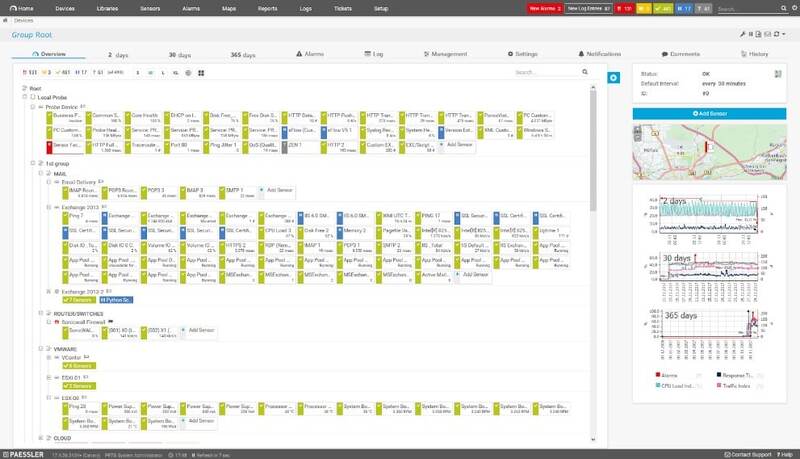
5. Paessler PRTG [Free Trial – Windows OS]
Paessler PRTG is an all-in-one network monitoring tool that gives robust abilties for Windows clients. With its individual-friendly interface, PRTG lets in you to reveal IP addresses, gadgets, and standard community typical overall performance in real-time. It facilitates diverse protocols, along with SNMP and NetFlow, to offer specific insights into your community infrastructure. The device comes with pre-configured sensors for smooth setup and customizable dashboards for tailor-made monitoring Top 14 IP Scanner Tools for Efficient Network Management in 2024.
- Paessler PRTG Advantages:
- Comprehensive tracking for gadgets, bandwidth, and IP addresses.
- Customizable dashboards and pre-configured sensors.
- Scalable for small to big networks.
- Real-time signs and awesome evaluations.
- Comprehensive tracking for gadgets, bandwidth, and IP addresses.
- Paessler PRTG Disadvantages:
- Expensive after the unfastened trial ends.
- Resource-extensive, requiring significant device hardware.
- Complex for novices due to its large abilties.
- Expensive after the unfastened trial ends.
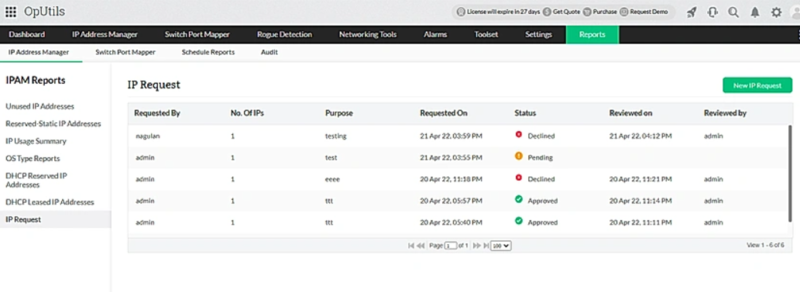
6. ManageEngine OpUtils [Free Trial –
Windows & Linux OS]
ManageEngine OpUtils is a complete community monitoring device to be had for both Windows and Linux structures. It lets in administrators to screen community performance, tune IP addresses, and experiment ports efficiently. OpUtils presents a wide kind of capabilities, together with tool discovery, bandwidth tracking, and IP address control. The device offers real-time alerts and precise reports to assist directors find out and remedy troubles right away. With its intuitive interface and scalability, OpUtils is appropriate for every small and huge groups.
- ManageEngine OpUtils Advantages:
- Multi-platform assist (Windows & Linux).
- Real-time tracking with indicators and reports.
- Advanced IP deal with manipulate.
- Scalable for networks of all sizes.
- Multi-platform assist (Windows & Linux).
- ManageEngine OpUtils Disadvantages:
- Expensive as soon as the unfastened trial expires.
- May require a steep mastering curve for beginners.
- Some superior features are restricted inside the loose model.
- Expensive as soon as the unfastened trial expires.
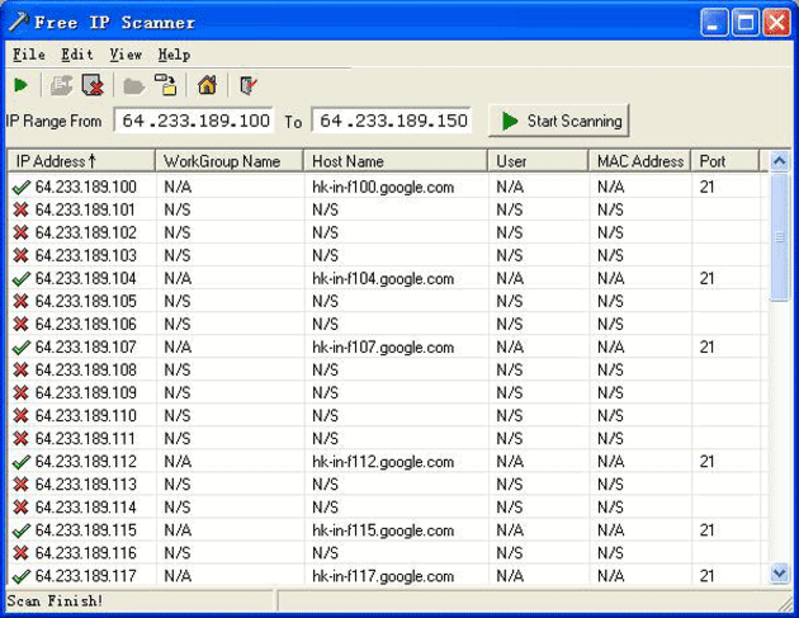
7. Free IP Scanner [Free-Windows OS]
Free IP Scanner is a smooth, clean-to-use community scanning tool designed for Windows users. It allows directors to brief scan a number of IP addresses and accumulate facts approximately energetic devices on the network. The tool gives info along with the tool name, IP cope with, and MAC deal with, making it beneficial for community manipulate and troubleshooting. Free IP Scanner also helps exporting take a look at effects to CSV files for clean evaluation. Its mild-weight layout guarantees fast scans with minimal tool property.
- Free IP Scanner Advantages:
- Free and easy to apply.
- Lightweight and rapid scanning.
- Supports export of effects to CSV documents.
- Provides basic community facts (IP, MAC, device call).
- Free and easy to apply.
- Free IP Scanner Disadvantages:
- Limited features in comparison to advanced scanners.
- Only to be had for Windows.
- Lacks actual-time monitoring and alerting competencies.
- Limited features in comparison to advanced scanners.
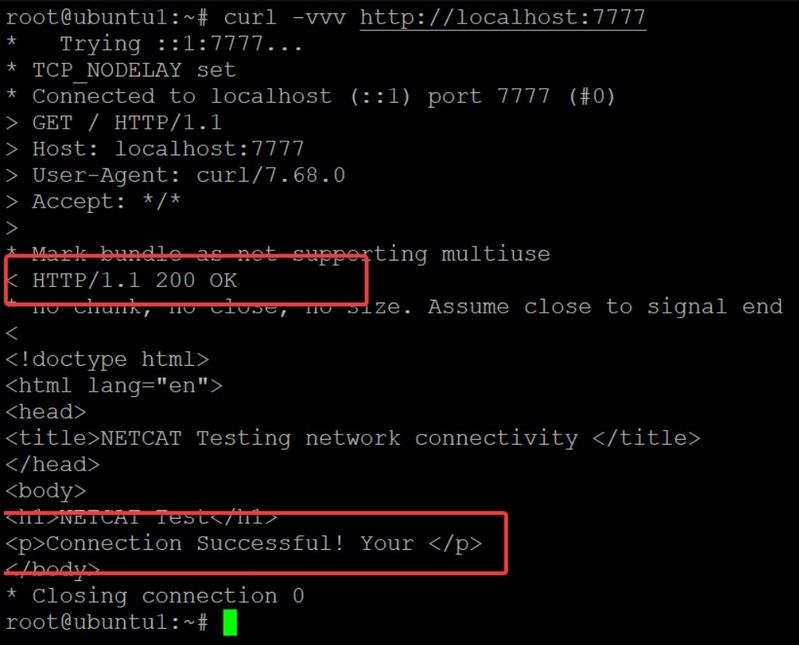
8. Netcat [Free – Windows, Linux, Unix OS]
Netcat is a flexible, free, and open-supply network device available for Windows, Linux, and Unix structures. Known because the “Swiss Army knife” of networking, it permits clients to read and write statistics in the course of network connections the usage of the TCP/IP protocol. Netcat is generally used for debugging, port scanning, and developing network connections among devices. Its simple command-line interface gives flexibility, however it calls for technical facts to apply successfully. While effective, it’s miles regularly used for penetration attempting out, growing backdoors, and troubleshooting community connections.
- Netcat Advantages:
- Free and open-source.
- Works throughout more than one running structures.
- Powerful tool for port scanning and debugging.
- Lightweight and particularly flexible.
- Free and open-source.
- Netcat Disadvantages:
- Command-line interface can be tough for beginners.
- Lacks graphical interface.
- No built-in real-time monitoring or indicators.
- Command-line interface can be tough for beginners.
9. MyLanViewer [Free – Windows OS]
MyLanViewer is a loose, person-satisfactory network scanning device designed for Windows users. It lets in you find out gadgets to your close by community, display IP addresses, and select out active connections. With its intuitive interface, MyLanViewer makes it easy to show and manipulate network sources. The device additionally presents community facts together with MAC addresses, shared folders, and ping status. It’s first-class for small agencies and home networks, providing every clean scanning and superior features like a long way flung shutdown and record sharing.
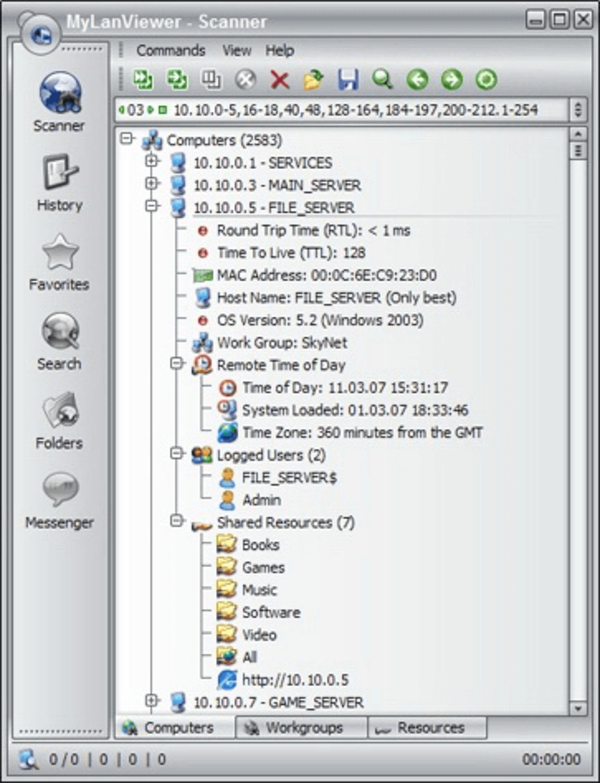
- MyLanViewer Advantages:
- Free and easy to apply.
- Provides targeted information approximately community devices.
- Ideal for small networks and home use.
- Offers remote shutdown and report sharing.
- Free and easy to apply.
- MyLanViewer Disadvantages:
- Limited to Windows OS.
- Lacks advanced functions for large agency networks.
- No actual-time monitoring or alert system.
- Limited to Windows OS.
10. Komodo Slitheris [Free – Windows
OS]
Komodo Slitheris is a loose network scanner designed for Windows customers that allows come across vulnerabilities and safety flaws inside the network. It brief scans IP addresses and presents distinctive statistics about devices on the network, along with MAC addresses, services, and open ports. With its intuitive interface, Slitheris is easy to apply for community directors trying to choose out prone factors and potential safety threats. While it is green in scanning community networks, it lacks some of the superior capabilities provided by using large industrial tools.
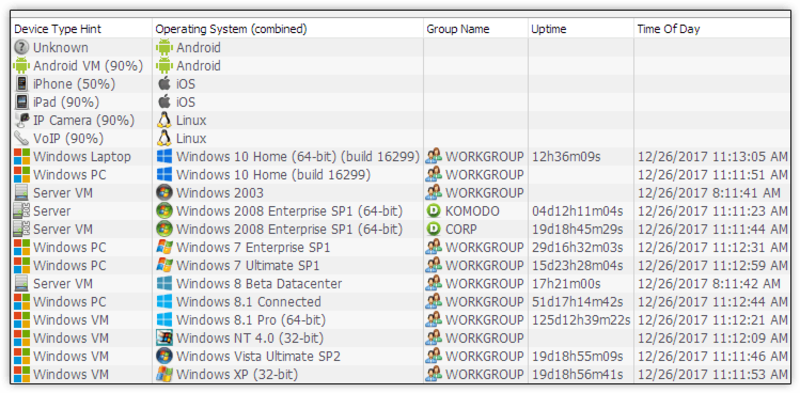
- Komodo Slitheris Advantages:
- Free and clean to use.
- Quick and particular community scans.
- Detects open ports and vulnerabilities.
- User-pleasant interface.
- Free and clean to use.
- Komodo Slitheris Disadvantages:
- Limited to Windows OS.
- Lacks superior scanning skills for big networks.
- No actual-time monitoring or indicators.
- Limited to Windows OS.
11. Intruder [Free Trial – Windows & Linux]
Intruder is a effective protection-targeted community scanning tool available for each Windows and Linux structures. It makes a speciality of vulnerability scanning and penetration finding out, helping IT directors choose out weaknesses in their community infrastructure. Intruder conducts in-intensity scans for open ports, uncovered offerings, and not unusual vulnerabilities, delivering actionable insights thru positive evaluations. The tool is ideal for figuring out capacity threats earlier than they may be exploited, making it a treasured addition to proactive safety features.
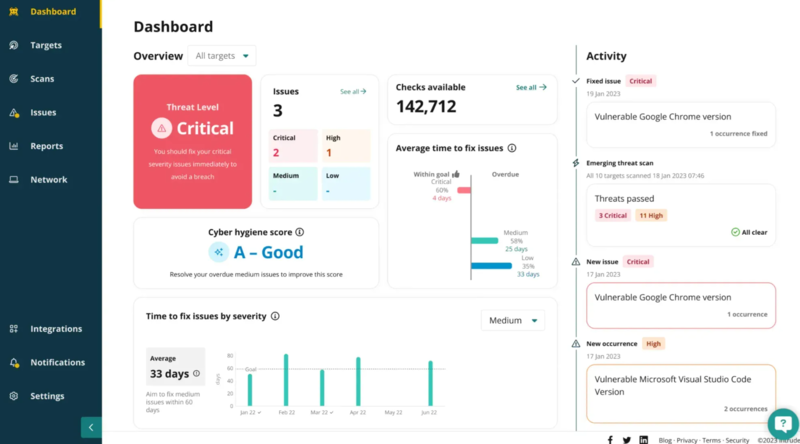
- Intruder Advantages:
- Focuses on vulnerability scanning and penetration trying out.
- Provides special, actionable reviews.
- Works on every Windows and Linux.
- User-fine interface with real-time indicators.
- Focuses on vulnerability scanning and penetration trying out.
- Intruder Disadvantages:
- Free trial has restrained capability.
- Expensive when the trial expires.
- May be too advanced for small network setups.
- Free trial has restrained capability.
12. LanSweeper [Free – Windows & Linux OS]
LanSweeper is a comprehensive community control device for each Windows and Linux systems that lets in IT directors display screen and control network gadgets. It gives special records on related gadgets, software program program inventory, IP deal with allocation, and community topology. LanSweeper’s effective asset discovery abilties allow green management of community resources, while its reporting and alerting functions help choose out vulnerabilities and usual performance problems. Though the device offers a free version, superior functions are commonly available with the paid model, making it suitable for large establishments.
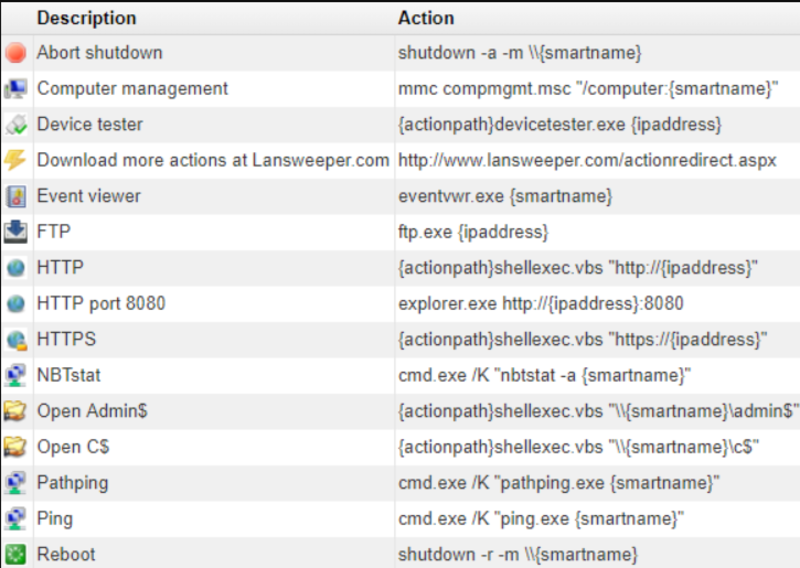
- LanSweeper Advantages:
- Supports each Windows and Linux.
- Detailed asset and software inventory.
- Powerful reporting and alerting functions.
- Excellent for network useful aid control.
- Supports each Windows and Linux.
- LanSweeper Disadvantages:
- Free model has restricted capabilities.
- Expensive after the free trial ends.
- Can be complicated for small-scale networks.
- Free model has restricted capabilities.
13. Spiceworks [Free – Windows, Linux, Mac OS]
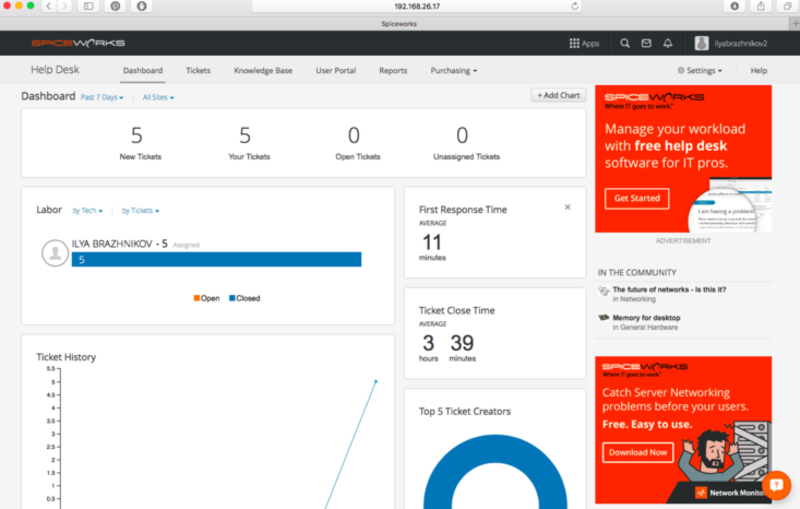
Spiceworks is a unfastened community tracking and management device to be had for Windows, Linux, and Mac OS. It gives real-time insights into your network, helping IT directors track gadgets, monitor standard overall performance, and manage assets. Spiceworks capabilities an intuitive interface, allowing clients to test IP addresses, view community inventory, and generate unique reports. It additionally integrates with helpdesk systems for IT ticketing. Though it is free, Spiceworks is supported with the resource of advertisements and offers greater top rate functions for organization use.
- Spiceworks Advantages:
- Free with robust network tracking capabilities.
- Supports a couple of running systems (Windows, Linux, Mac OS).
- Intuitive and person-high-quality interface.
- Offers helpdesk integration and asset control.
- Free with robust network tracking capabilities.
- Spiceworks Disadvantages:
- Free version supported by way of commercials.
- Lacks a few superior capabilities for huge networks.
- May require extra resources for organization-degree usage.
- Free version supported by way of commercials.
14. OpenVAS [Free – Linux OS]
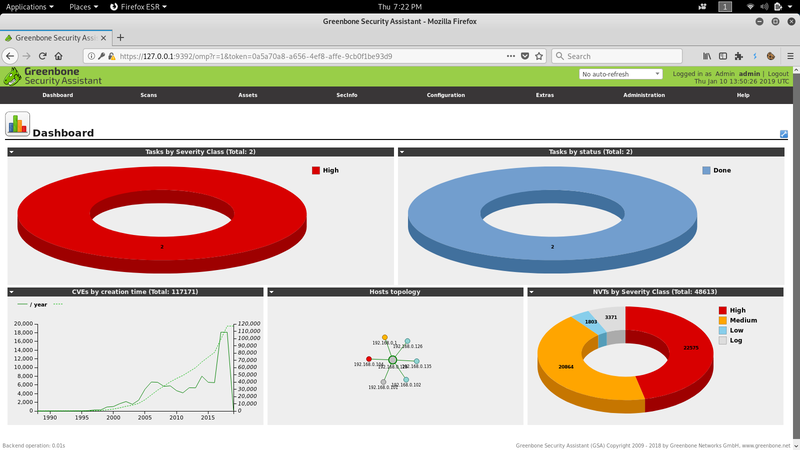
OpenVAS (Open Vulnerability Assessment System) is a free, open-source network vulnerability scanning tool designed for Linux systems. It specializes in identifying security flaws and weaknesses in your network by performing comprehensive scans. OpenVAS offers a range of powerful features, including vulnerability detection, reporting, and integration with other security tools. Its detailed vulnerability assessments provide IT administrators with the necessary insights to mitigate risks. OpenVAS is particularly useful for penetration testing and large-scale security audits.
- OpenVAS Advantages:
- Free and open-source.
- Comprehensive vulnerability scanning and reporting.
- Highly customizable for different network environments.
- Ideal for penetration testing and security audits.
- Free and open-source.
- OpenVAS Disadvantages:
- Only available for Linux.
- Setup and configuration can be complex.
- Requires significant system resources for large networks.
- Only available for Linux.
Key Features to Look for in an IP Scanner
- Real-time scanning & device discovery: Quickly identify connected devices
- Subnet & IP range support: Cover networks efficiently
- Customizable reports: Export actionable data
- Integration with IT tools: Streamline monitoring and management
Tips for Effective Network Management Using IP Scanners
- Schedule regular scans to detect new devices
- Track unknown devices to maintain network security
- Automate reports for time-saving insights
Use multiple tools to balance discovery, monitoring, and security
Conclusion
Choosing the right IP scanner ensures your network stays organized, secure, and efficient. From Angry IP Network Scanner to SolarWinds IP Address Manager, there’s a tool for every network size and need.
Start managing your network proactively today. Download our free IP Scanner Checklist to get started now!
Frequently Asked Questions (FAQs)
Angry IP Network Scanner and Advanced IP Scanner are popular freeware network scanners. freeware network scanner ip scanner spiceworks They provide fast device discovery, open port detection, and simple reporting. Ideal for home or small office networks, these ipscanner tools help monitor connected devices and maintain security efficiently.
IP scanner Spiceworks automatically scans your network, identifying connected devices and their IP/MAC addresses. It generates detailed reports and alerts IT teams to new or unauthorized devices. This ip scan tool simplifies network management, making device tracking and troubleshooting faster and more accurate.
Yes! Tools like IP Scanner for Mac and Advanced IP Scanner work specifically on macOS or Windows. Most ipscanner software is platform-specific, while versatile options like Nmap and Fing support multiple systems, providing effective device discovery and network monitoring.
Angry IP Network Scanner is a lightweight freeware network scanner that quickly discovers devices and scans open ports. It’s easy to use, customizable, and ideal for small to medium networks. Using this IP scanner helps maintain network visibility, troubleshoot issues, and secure your devices efficiently.
A search IP tool like IP Scan Tool quickly discovers devices and IP ranges. An IP scanner provides additional features such as open port detection, automated reports, and integration with network management tools. Both help monitor network activity, but scanners offer more advanced functionality for professional IT use.