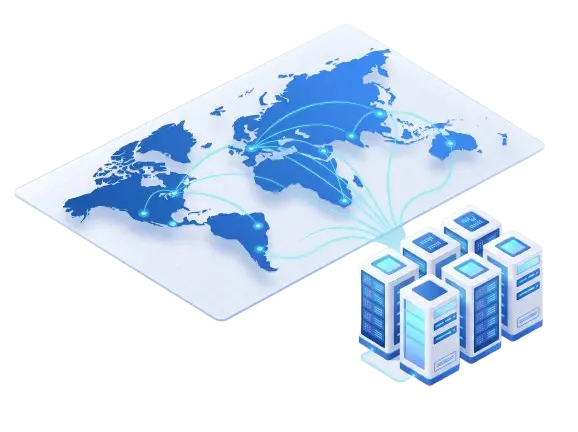
13 real locations across North America, Europe, and Asia-Pacific. Each card shows the real plan count and starting price for that location — full configurations and specs on each product page.
Please note: France RDP includes full admin access on every plan, from Starter to Titan. Prices shown are the lowest available tier per location; larger configurations are available on each product page.
Why RDPextra
Why Buy Private RDP from RDPextra
13 Real Locations Worldwide
USA, California, New York, Los Angeles, Canada, UK, France, Germany, Netherlands, Russia, Singapore, Hong Kong, and Australia — pick the region closest to your users or workload.
Full Root / Admin Access on Nearly Every Plan
Configure your server exactly how you want it. France RDP includes full admin access on every plan, so you get complete control.
Real Hardware, Not Overprovisioned Boxes
AMD Ryzen 5950X/3800X, Intel Xeon, and modern multi-core CPUs power these plans — not stretched-thin shared hardware.
NVMe & SSD Storage Across the Board
Every location runs on SSD or NVMe storage — from 40GB entry configs up to 250GB+ on the top tiers.
Transparent, Verified Pricing
Every price on this page is checked directly against live checkout — no bait-and-switch specs, no guessing.
Secure Payments, Your Way
Checkout through Stripe with a credit card, or pay with cryptocurrency — whichever's easier for you.
Buyer's Checklist
Private RDP: What to Check Before You Buy
Not every "private RDP" listing is built the same way — even within our own 13 locations, access level, hardware, and setup time vary. A few things worth confirming before you order.
1
Confirm root or admin access is actually included
Almost every location on this page ships with full root or admin access, including every France RDP plan. If admin access is a requirement for your use case, double-check the specific location before ordering.
2
Match the location to your actual traffic or audience
A server in Singapore and a server in Los Angeles will perform very differently depending on where your users or workload actually are. Pick the closest real location, not just the cheapest one.
3
Check the OS options for that specific location
Windows Server versions vary by location — some run 2012/2016/2019, others run 2025 with Windows 10 Pro, and a few offer Linux alongside Windows. Confirm the OS you need is actually available where you're buying.
4
Don't assume the cheapest plan includes admin access
Lower-tier configurations on some product lines are sold without admin access, with full access unlocked at a higher tier. Check the specific tier's specs, not just the location's starting price.
5
Hardware and storage vary a lot by location
CPU generation, RAM ceiling, and storage type (SSD, NVMe, or HDD) differ meaningfully across our 13 locations. Compare the actual specs for your target location rather than assuming they mirror another region's plan.
6
Setup time isn't universal
Some locations activate instantly; others state a setup window of several hours. Check the specific plan if timing matters for your project.
FAQ
Frequently Asked Questions
What is a private RDP?
A private RDP is a remote desktop that's dedicated to you — not shared with other customers. You get your own IP address, your own resources, and (on most plans) full root or admin access to configure it however you need.
How much does a private RDP server cost?
Private RDP at RDPextra starts at $10 a month, and most locations start between about $13 and $25 a month. The price depends on the country, CPU and RAM you choose, so each location card above lists its own starting price.
Is RDP like a VPN?
No. A VPN only routes your own device's internet traffic through another network, while an RDP gives you a whole remote Windows computer to control, so apps run on the server rather than on your device. A private RDP also has its own dedicated IP, so everything you run on it uses the server's connection.
Which locations do you offer?
13 locations: USA, California, New York, Los Angeles, and Canada in North America; UK, France, Germany, the Netherlands, and Russia in Europe; and Singapore, Hong Kong, and Australia in Asia-Pacific.
Do all plans include admin access?
Nearly all, and every France RDP plan includes full admin access. On some other locations, the lowest-priced tier also skips admin access while higher tiers include it, so check the specific plan card before ordering.
How is private RDP different from a shared or public RDP?
A shared RDP puts multiple users on the same server, splitting its resources. A private RDP is dedicated entirely to you — your own IP, your own CPU and RAM allocation, and no other customer's activity affecting your performance.
What operating systems are available?
Mostly Windows Server, with versions varying by location — some run 2012/2016/2019, others run 2025 with Windows 10 Pro. A few locations also offer Linux. Check the specific location's card for its exact OS options.
How fast is setup?
It depends on the location. Some plans activate instantly; others list a setup window of a few hours. Check the specific plan card for its stated delivery time.
Can I upgrade to a different configuration or location later?
Yes — contact support or open a ticket from your account to move to a higher tier or a different location.
What payment methods are accepted?
Card payments are handled securely through Stripe, and cryptocurrency payments through Cryptomus.
Ready to Buy a Private RDP?
Pick a location above and get full access within hours — or talk to sales first if you're not sure which region or configuration fits your workload.